Hướng Dẫn Tạo Chrome Extension Thu Thập Dữ Liệu Chat CRM từ Zalo & Messenger
AIECOS Community ·
Xây dựng từ số 0 — Dành cho người mới bắt đầu
Tác giả: AIECOS Community | Ngày viết: Tháng 4, 2026 | Cấp độ: Cơ bản — Bắt đầu từ zero | Thời gian: Khoảng 2-3 giờ
1. Tại Sao Cần Chrome Extension Cho CRM?
Trong kinh doanh online, đặc biệt là các shop bán hàng trên Zalo và Facebook, việc quản lý hội thoại với khách hàng là vô cùng quan trọng. Tuy nhiên, hầu hết các nền tảng không cung cấp API để xuất dữ liệu chat dễ dàng.
Chrome Extension giúp bạn tự động thu thập tin nhắn từ giao diện web của Zalo và Messenger, biến dữ liệu thô thành thông tin có giá trị cho việc chăm sóc khách hàng, phân tích hành vi mua hàng và tối ưu quy trình bán hàng.
- Tự động lưu trữ lịch sử hội thoại — không sợ mất data khi thay đổi nhân viên
- Phân tích xu hướng khách hàng hỏi gì nhiều nhất
- Xây dựng bộ dữ liệu training cho AI chatbot sau này
- Theo dõi hiệu suất nhân viên trả lời khách
- Tạo phễu traffic cho cộng đồng khi chia sẻ tool miễn phí
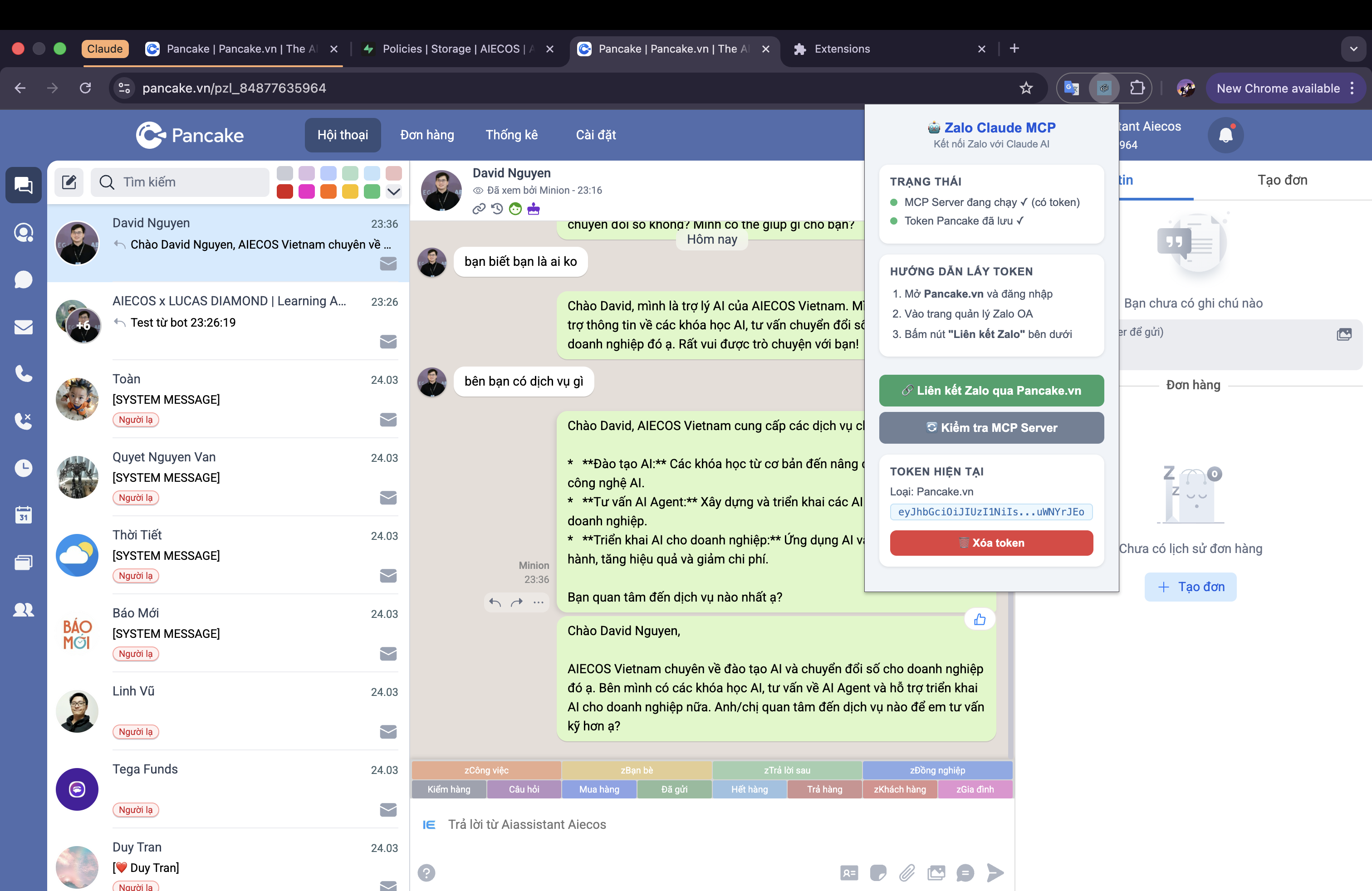
2. Chuẩn Bị Môi Trường
Bạn chỉ cần những công cụ cơ bản sau:
| Công cụ | Mô tả | Link tải |
|---|---|---|
| Google Chrome | Trình duyệt chạy extension | chrome.google.com |
| VS Code | Soạn code, có extension hỗ trợ JS | code.visualstudio.com |
| Tài khoản Google | Để dùng Google Sheets API | accounts.google.com |
Kiến thức cần có: HTML, CSS cơ bản và JavaScript cơ bản.
3. Tạo Cấu Trúc Extension (Manifest V3)
Bước đầu tiên là tạo cấu trúc thư mục cho extension:
crm-chat-extension/
├── manifest.json
├── background.js
├── content-zalo.js
├── content-messenger.js
├── popup.html
├── popup.js
└── styles.css
manifest.json — File cấu hình quan trọng nhất
{
  "manifest_version": 3,
  "name": "CRM Chat Collector",
  "version": "1.0.0",
  "description": "Thu thập dữ liệu chat từ Zalo và Messenger",
  "permissions": ["storage", "activeTab", "tabs", "alarms"],
  "host_permissions": [
    "https://chat.zalo.me/*",
    "https://www.messenger.com/*",
    "https://www.facebook.com/messages/*"
  ],
  "background": { "service_worker": "background.js" },
  "content_scripts": [
    { "matches": ["https://chat.zalo.me/*"], "js": ["content-zalo.js"], "run_at": "document_idle" },
    { "matches": ["https://www.messenger.com/*", "https://www.facebook.com/messages/*"], "js": ["content-messenger.js"], "run_at": "document_idle" }
  ],
  "action": { "default_popup": "popup.html" }
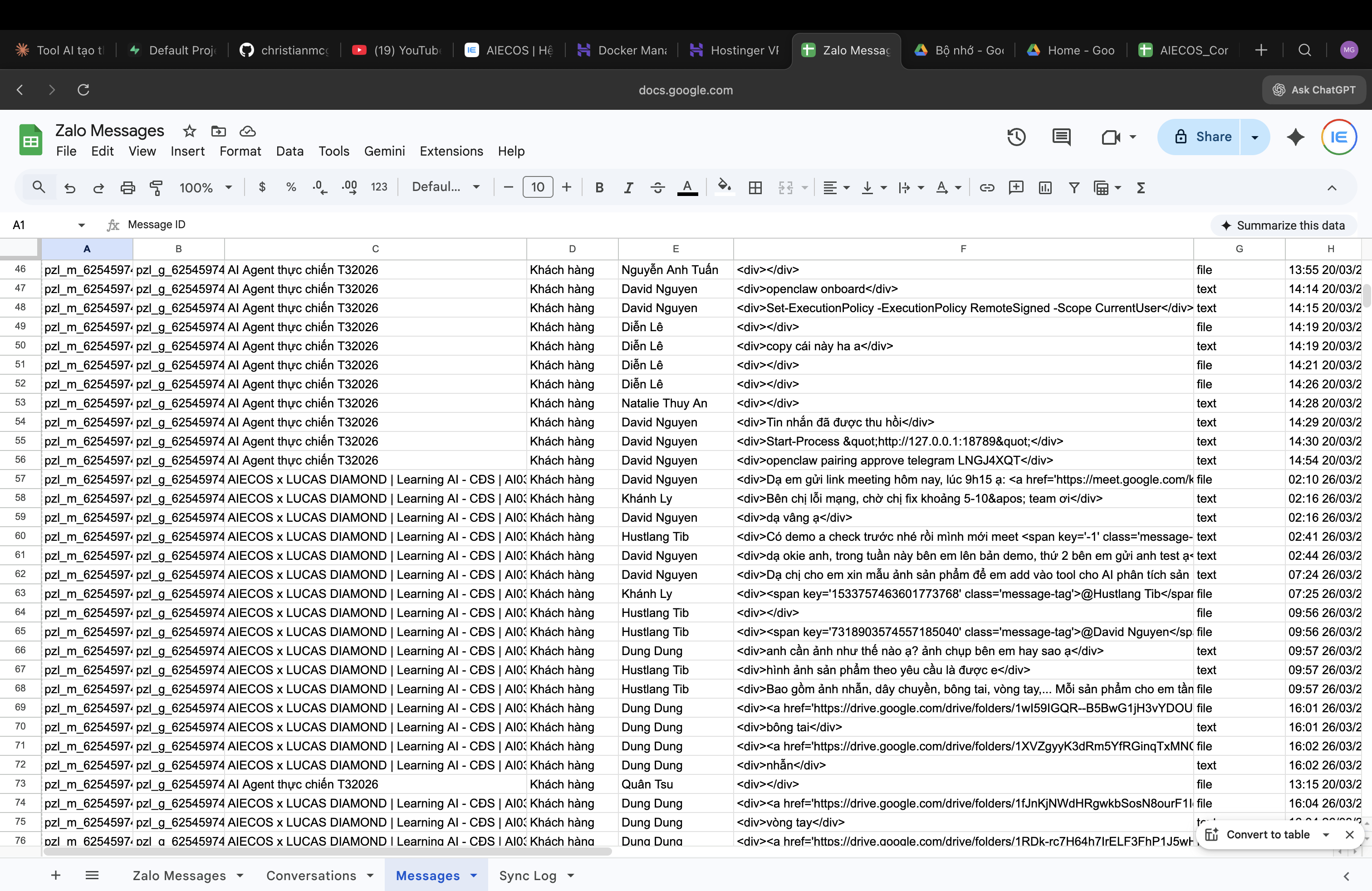
}
4. Content Script — Thu Thập Chat Zalo Web
Content script chạy trực tiếp trên trang chat.zalo.me, quan sát DOM để phát hiện tin nhắn mới.
function waitForChat() {
  const c = document.querySelector('.conversation-wrap, [class*="message"]');
  if (c) { startObserving(c); } else { setTimeout(waitForChat, 2000); }
}
function startObserving(container) {
  new MutationObserver(muts => muts.forEach(m =>
    m.addedNodes.forEach(n => { if (n.nodeType === 1) extractMessage(n); })
  )).observe(container, { childList: true, subtree: true });
}
function extractMessage(node) {
  const el = node.querySelector('.message-content, [class*="text"]');
  if (!el) return;
  const isSent = node.closest('[class*="send"], [class*="outgoing"]');
  chrome.runtime.sendMessage({ action: 'NEW_MESSAGE', data: {
    platform: 'zalo', text: el.innerText.trim(),
    sender: isSent ? 'shop' : 'customer',
    timestamp: new Date().toISOString(), url: location.href
  }});
}
waitForChat();
⚠️ Lưu ý: Zalo Web thay đổi DOM thường xuyên. Dùng selector linh hoạt với [class*="..."].
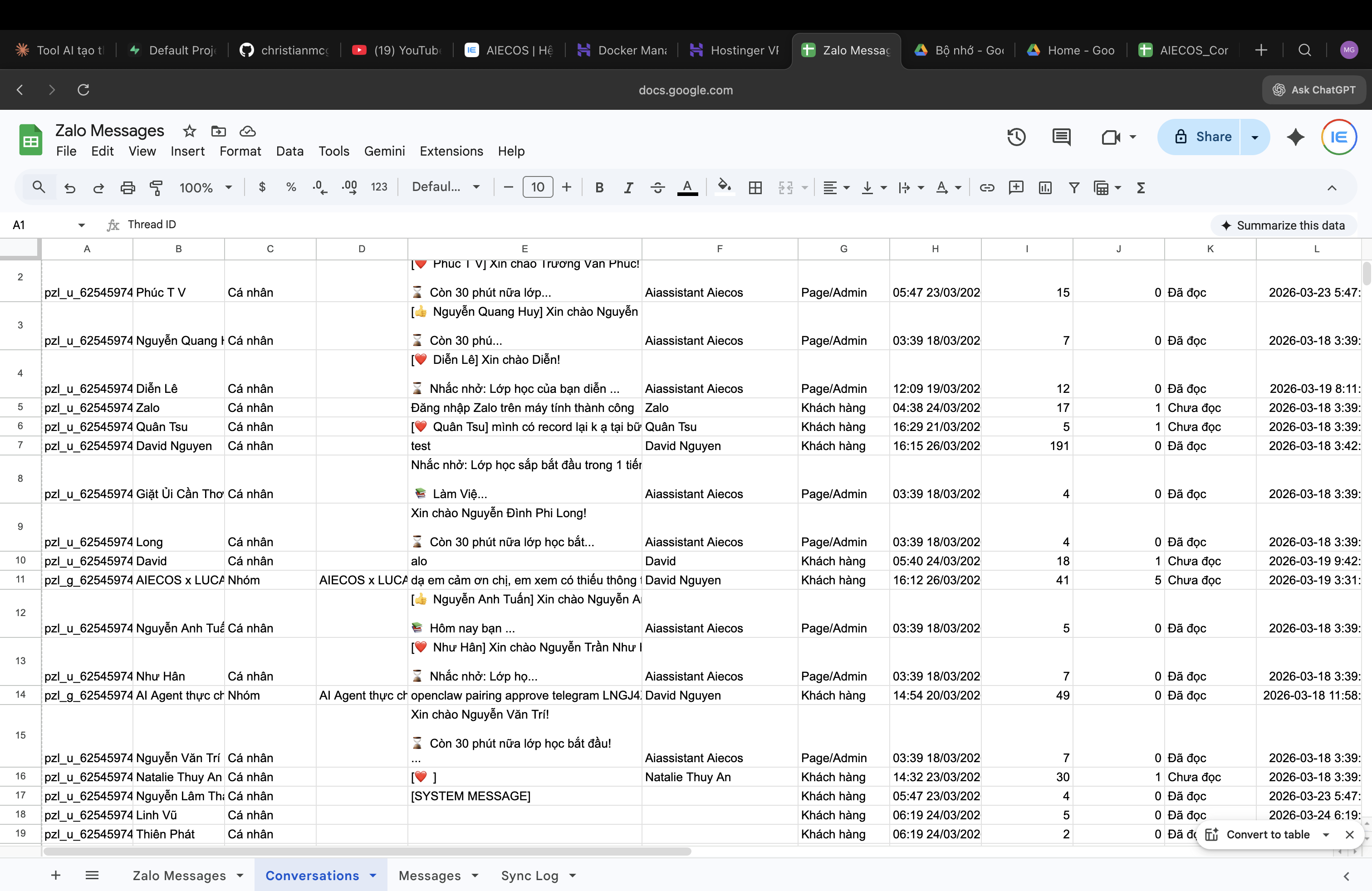
5. Content Script — Thu Thập Chat Messenger
Messenger dùng React với class name bị obfuscate. Ưu tiên attribute selector.
function waitForMessenger() {
  const m = document.querySelector('[role="main"]');
  if (m) { startObserving(m); } else { setTimeout(waitForMessenger, 2000); }
}
function startObserving(container) {
  new MutationObserver(muts => muts.forEach(m =>
    m.addedNodes.forEach(n => { if (n.nodeType === 1) extractMessage(n); })
  )).observe(container, { childList: true, subtree: true });
}
function extractMessage(node) {
  (node.querySelectorAll?.('[role="row"]') || []).forEach(row => {
    const t = row.querySelector('[dir="auto"]');
    if (!t) return;
    const isRight = row.querySelector('[class*="outgoing"], [style*="flex-end"]');
    chrome.runtime.sendMessage({ action: 'NEW_MESSAGE', data: {
      platform: 'messenger', text: t.innerText.trim(),
      sender: isRight ? 'shop' : 'customer',
      timestamp: new Date().toISOString(), url: location.href
    }});
  });
}
waitForMessenger();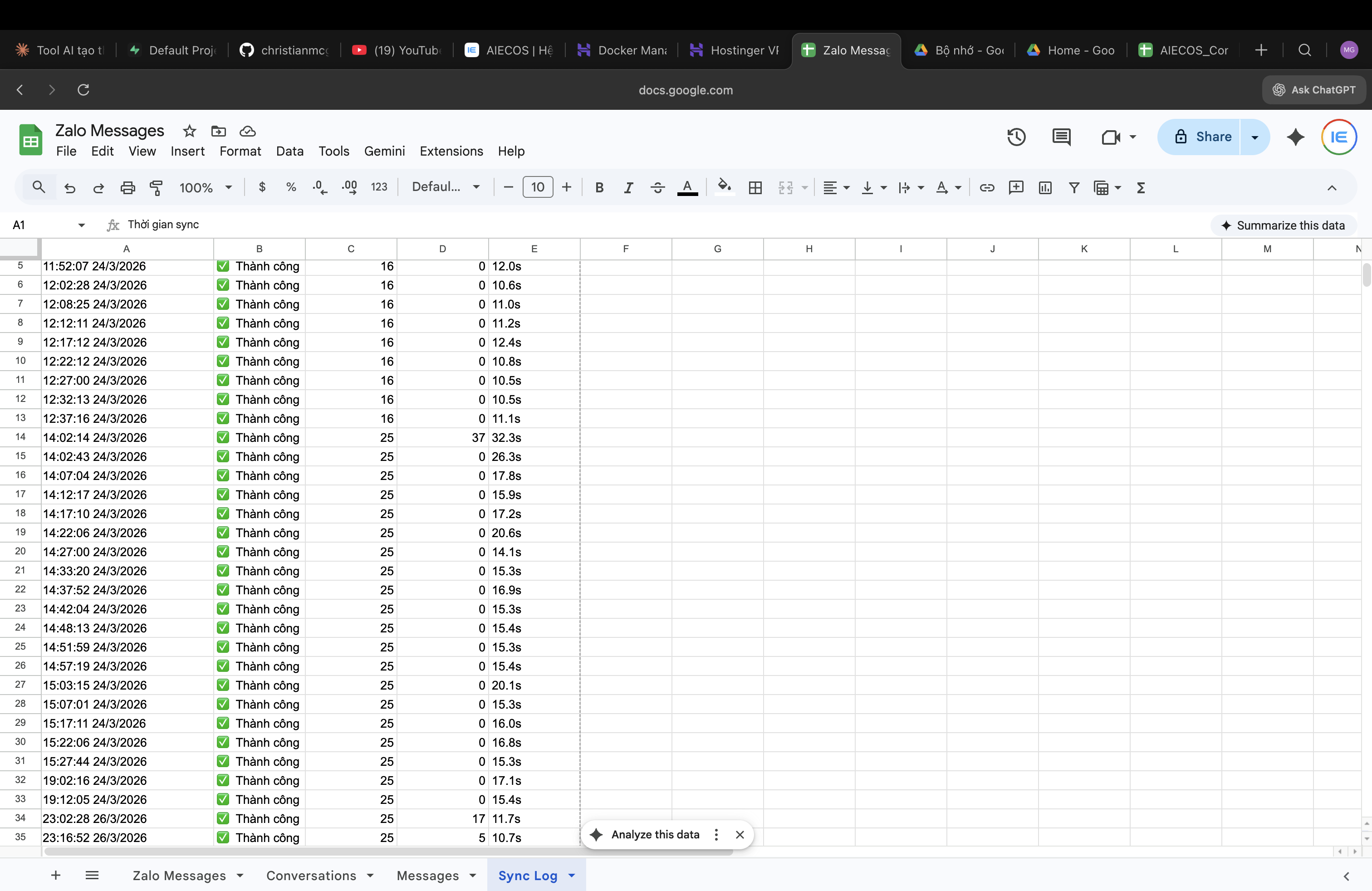
6. Background Script — Xử Lý & Lưu Trữ
chrome.runtime.onMessage.addListener((msg, sender, respond) => {
  if (msg.action === 'NEW_MESSAGE') { saveMessage(msg.data); respond({status:'ok'}); }
  return true;
});
async function saveMessage(data) {
  const r = await chrome.storage.local.get(['messages']);
  const msgs = r.messages || [];
  if (msgs.some(m => m.text === data.text && m.platform === data.platform)) return;
  msgs.push(data);
  if (msgs.length > 10000) msgs.splice(0, msgs.length - 10000);
  await chrome.storage.local.set({ messages: msgs });
}
7. Kết Nối Google Sheets
Dùng Google Apps Script làm webhook nhận dữ liệu.
Apps Script
function doPost(e) {
  var sheet = SpreadsheetApp.getActiveSpreadsheet().getActiveSheet();
  var data = JSON.parse(e.postData.contents);
  (data.messages || [data]).forEach(function(msg) {
    sheet.appendRow([msg.timestamp, msg.platform, msg.sender, msg.text, msg.url]);
  });
  return ContentService.createTextOutput('{"status":"ok"}').setMimeType(ContentService.MimeType.JSON);
}
Auto-sync trong background.js
const WEBHOOK = 'https://script.google.com/macros/s/YOUR_ID/exec';
async function syncToSheets() {
  const r = await chrome.storage.local.get(['messages','lastSync']);
  const msgs = (r.messages||[]).filter(m => new Date(m.timestamp).getTime() > (r.lastSync||0));
  if (!msgs.length) return;
  await fetch(WEBHOOK, { method:'POST', headers:{'Content-Type':'application/json'}, body:JSON.stringify({messages:msgs}) });
  await chrome.storage.local.set({ lastSync: Date.now() });
}
chrome.alarms.create('sync', { periodInMinutes: 5 });
chrome.alarms.onAlarm.addListener(a => { if (a.name==='sync') syncToSheets(); });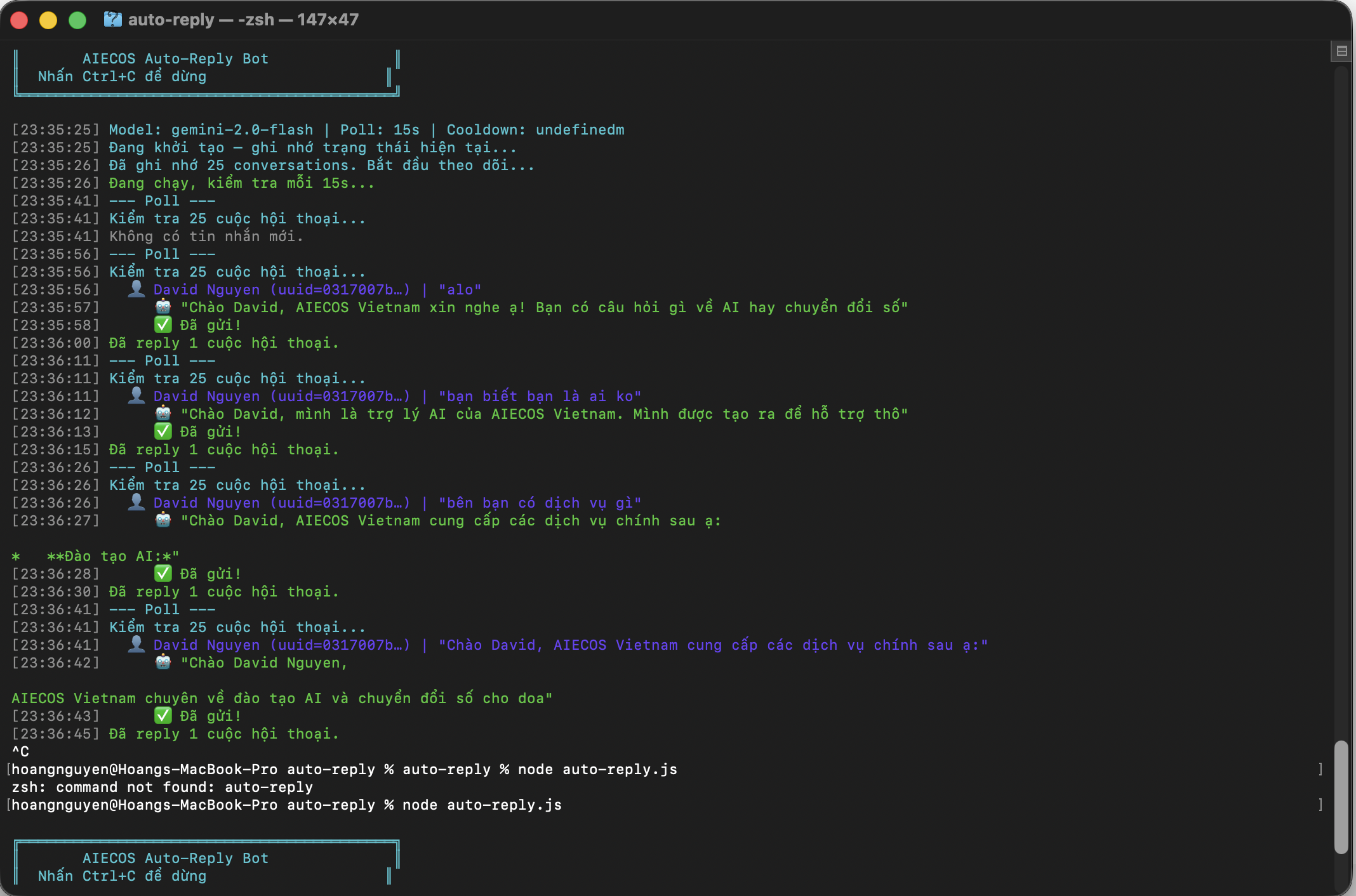
8. Popup Giao Diện Quản Lý
popup.html
<!DOCTYPE html><html><head><style>
body{width:320px;padding:16px;font-family:Arial}
h2{color:#1A73E8;margin:0 0 12px}
.stat{display:flex;justify-content:space-between;padding:8px 0;border-bottom:1px solid #eee}
.v{font-weight:bold;color:#1A73E8}
btn{width:100%;padding:10px;margin-top:12px;background:#1A73E8;color:#fff;border:none;border-radius:6px;cursor:pointer}
</style></head><body>
<h2>CRM Chat Collector</h2>
<div class="stat"><span>Tổng</span><span class="v" id="t">0</span></div>
<div class="stat"><span>Zalo</span><span class="v" id="z">0</span></div>
<div class="stat"><span>Messenger</span><span class="v" id="m">0</span></div>
<button id="s">Sync Google Sheets</button>
<script src="popup.js"></script>
</body></html>
popup.js
chrome.storage.local.get('messages', r => {
  const m = r.messages || [];
  document.getElementById('t').textContent = m.length;
  document.getElementById('z').textContent = m.filter(x=>x.platform==='zalo').length;
  document.getElementById('m').textContent = m.filter(x=>x.platform==='messenger').length;
});
document.getElementById('s').onclick = () => chrome.runtime.sendMessage({action:'SYNC_NOW'});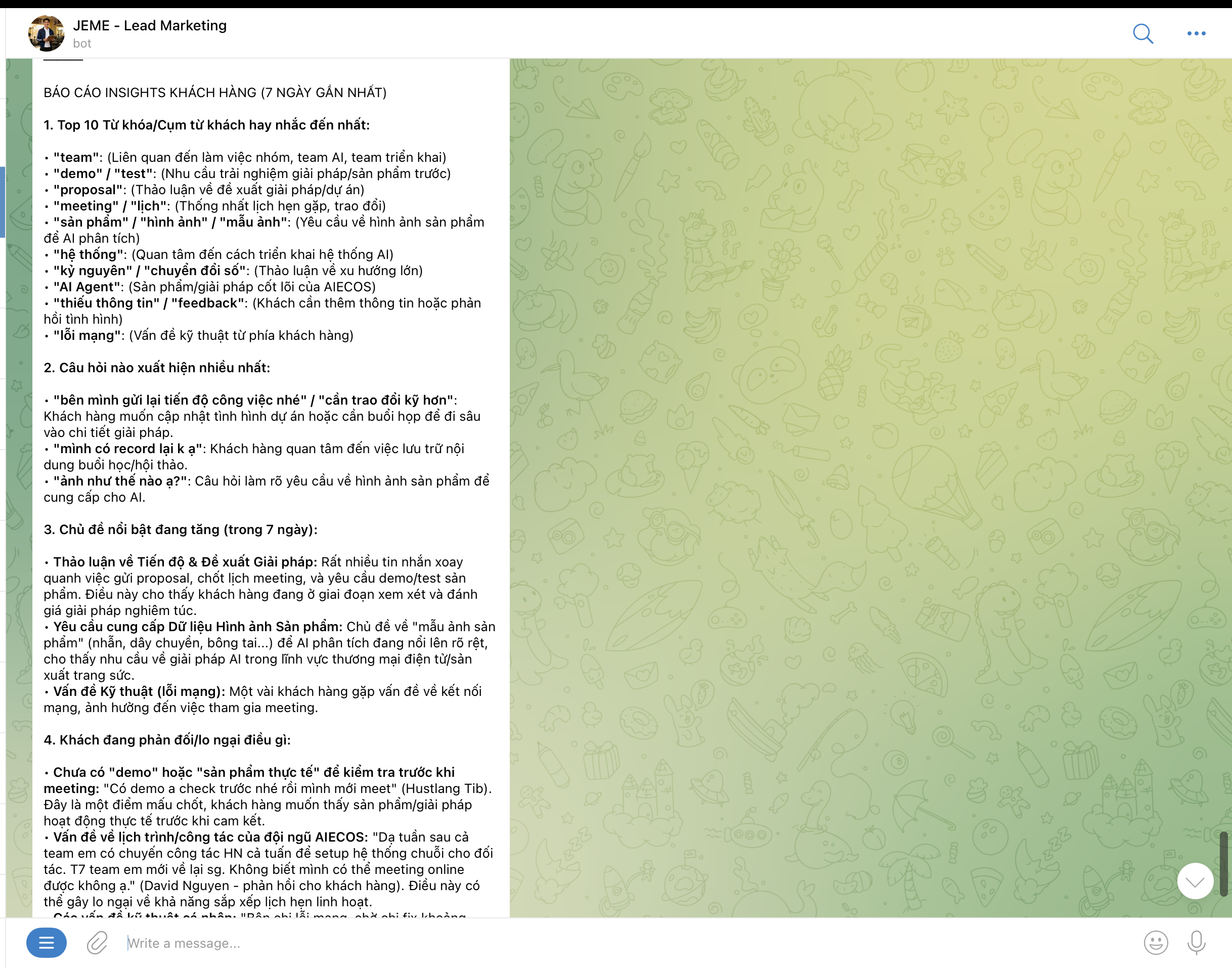
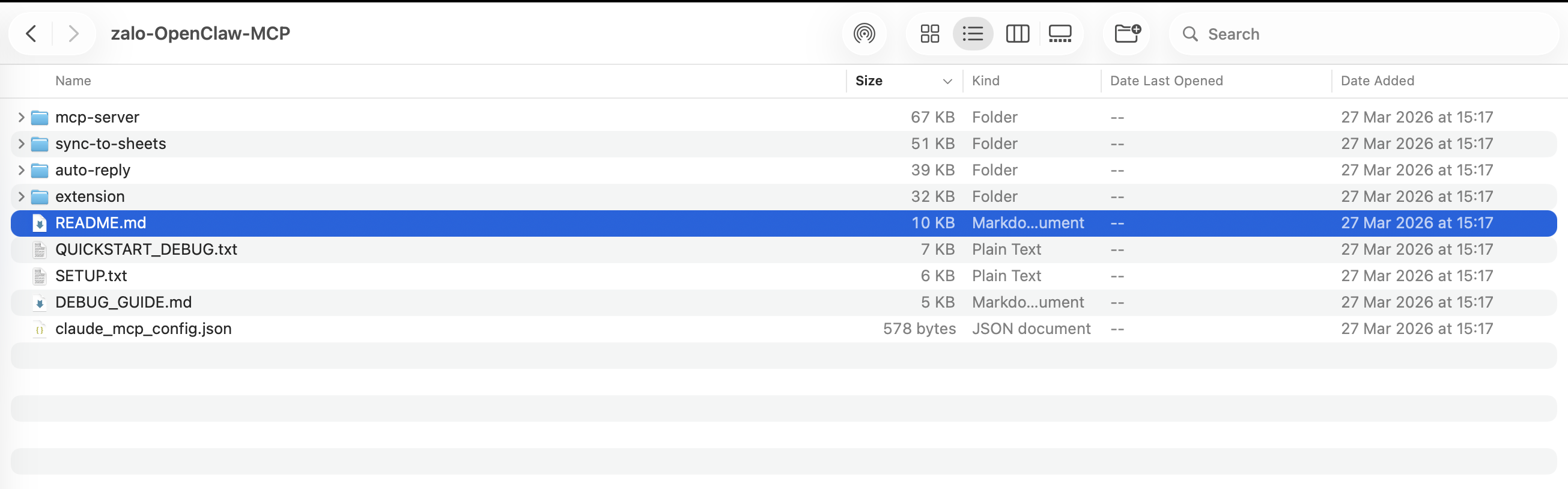
9. Đóng Gói & Cài Đặt
- Mở
chrome://extensions/ - Bật Developer mode
- Load unpacked → chọn folder extension
- Test trên Zalo Web / Messenger
- F12 → Console để xem log
10. Kinh Nghiệm Thực Chiến
- DOM thay đổi: Dùng attribute selector thay class name
- Encoding: Luôn set charset=utf-8
- Rate Limit: Gộp batch 50-100 tin, dùng chrome.alarms
- CORS: Allow origin chrome-extension://[ID]
- Service Worker: Tắt sau 30s — dùng chrome.storage, không biến global
11. Mở Rộng & Nâng Cấp
- Phân tích sentiment bằng NLP
- Dashboard thống kê trực quan
- AI chatbot tự động trả lời
- Hỗ trợ Pancake.vn, Haravan, Sapo
- Hệ thống RAG từ data chat
- Export Excel/CSV
Thành Quả Hoạt Động — Khi Hệ Thống Vận Hành Thực Tế
Sau khi triển khai Chrome Extension thu thập dữ liệu chat, toàn bộ hội thoại được đồng bộ và xử lý tự động. Dưới đây là kết quả thực tế khi hệ thống hoạt động:
🤖 Gọi AI Báo Cáo Insights Khách Hàng
Dữ liệu chat được phân tích bởi AI, tạo ra báo cáo chi tiết về Top từ khóa khách hàng hay nhắc, câu hỏi xuất hiện nhiều nhất, chủ đề nổi bật và phản hồi/lo ngại của khách — giúp đội ngũ kinh doanh nắm bắt nhu cầu thị trường ngay lập tức.
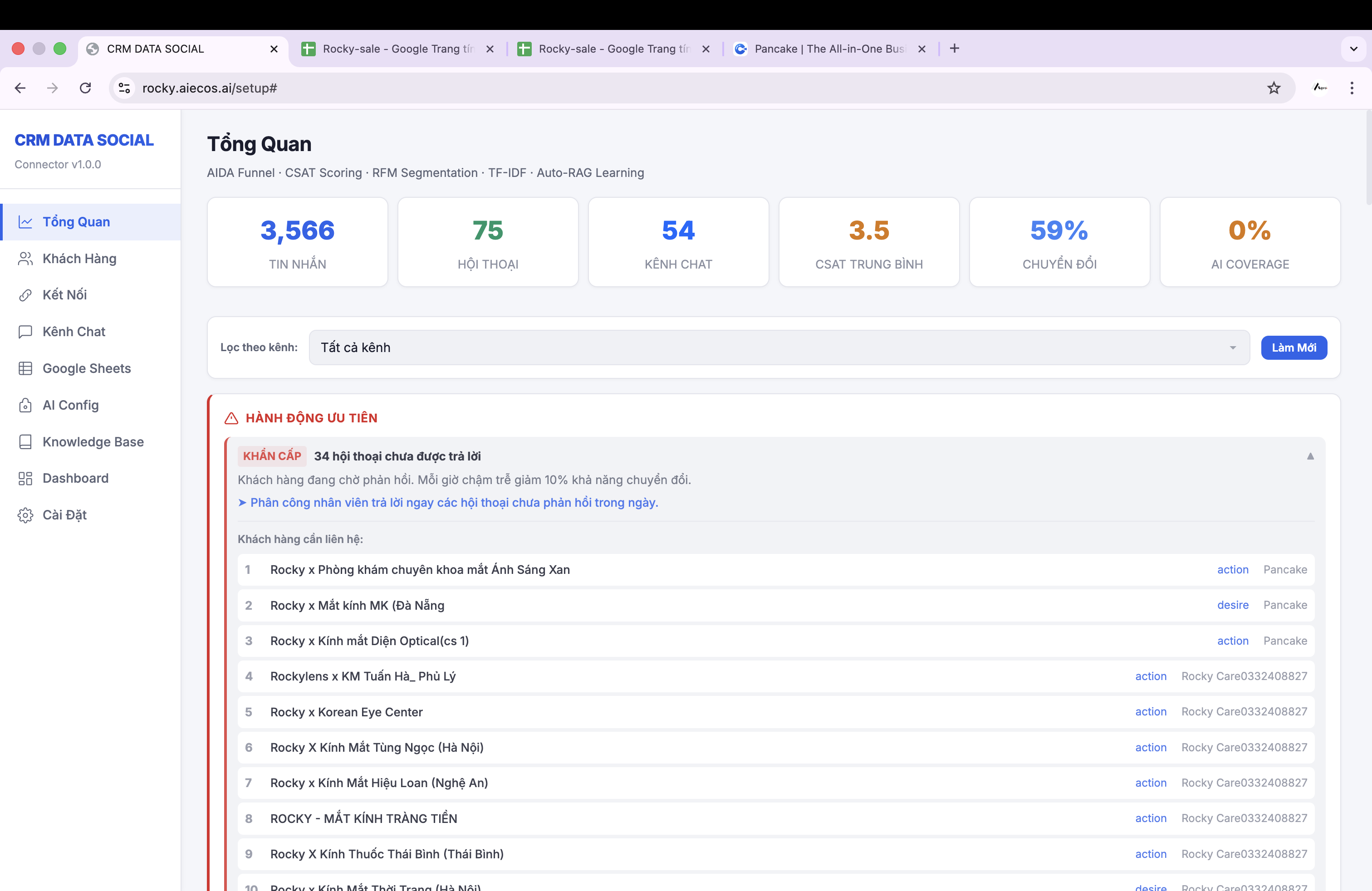
📊 Báo cáo tự động từ AI: phân tích top từ khóa, câu hỏi thường gặp, chủ đề nổi bật và feedback khách hàng trong 7 ngày gần nhất.
📈 Dashboard Quan Sát Dữ Liệu Trực Quan
Toàn bộ dữ liệu thu thập được hiển thị trên dashboard theo thời gian thực, giúp quản lý theo dõi volume tin nhắn, phân bổ theo kênh (Zalo/Messenger), hiệu suất trả lời và xu hướng tương tác của khách hàng.
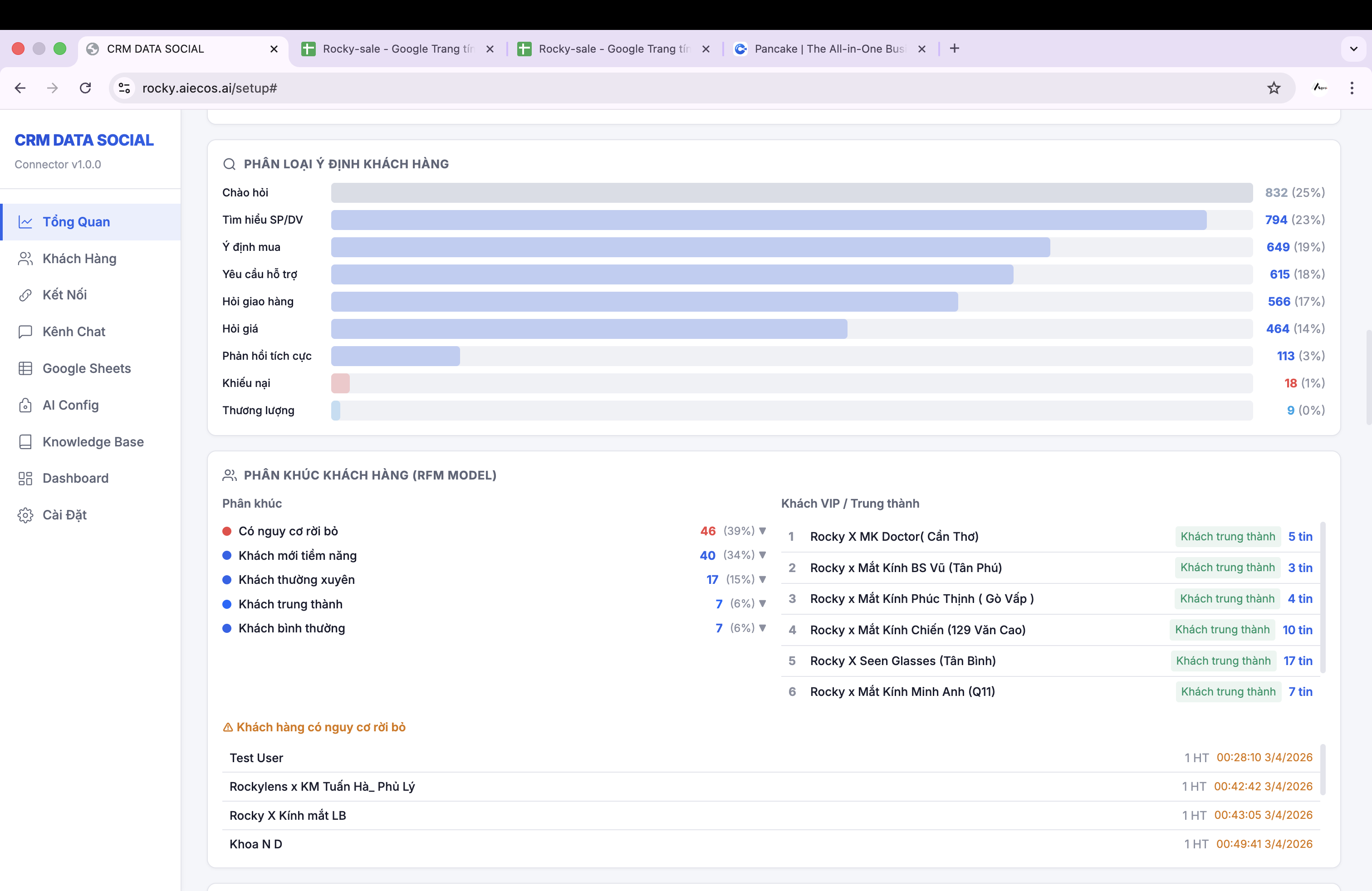
🖥️ Dashboard CRM: theo dõi realtime volume chat, phân tích kênh và hiệu suất vận hành.
12. Kết Luận
Bạn vừa xây dựng xong Chrome Extension thu thập chat từ Zalo Web và Messenger, đồng bộ lên Google Sheets. Đây là nền tảng để xây dựng CRM thông minh tích hợp AI.
AIECOS Community — AI Ecommerce Operating System
🚀 Bạn muốn triển khai hệ thống CRM AI cho doanh nghiệp?
Đăng ký dùng thử miễn phí — Đội ngũ AIECOS sẽ tư vấn và hỗ trợ bạn triển khai từ A-Z.
📩 Đăng Ký Dùng Thử Ngay